Training Staff to Use Digital Menu Software: A Practical Checklist
Effective digital menu software training keeps your menu accurate and your team confident. When only one person knows how to update boards, your restaurant faces unnecessary risk. Staff turnover, sick days, and busy shifts can leave menus outdated for hours. Restaurant staff onboarding should include clear instruction on your menu platform. This checklist covers who to train, what to teach, and how to test competency. You will also learn how to build an update protocol that works. With the right staff training plan, anyone on your team can confidently manage digital menu boards without hesitation.
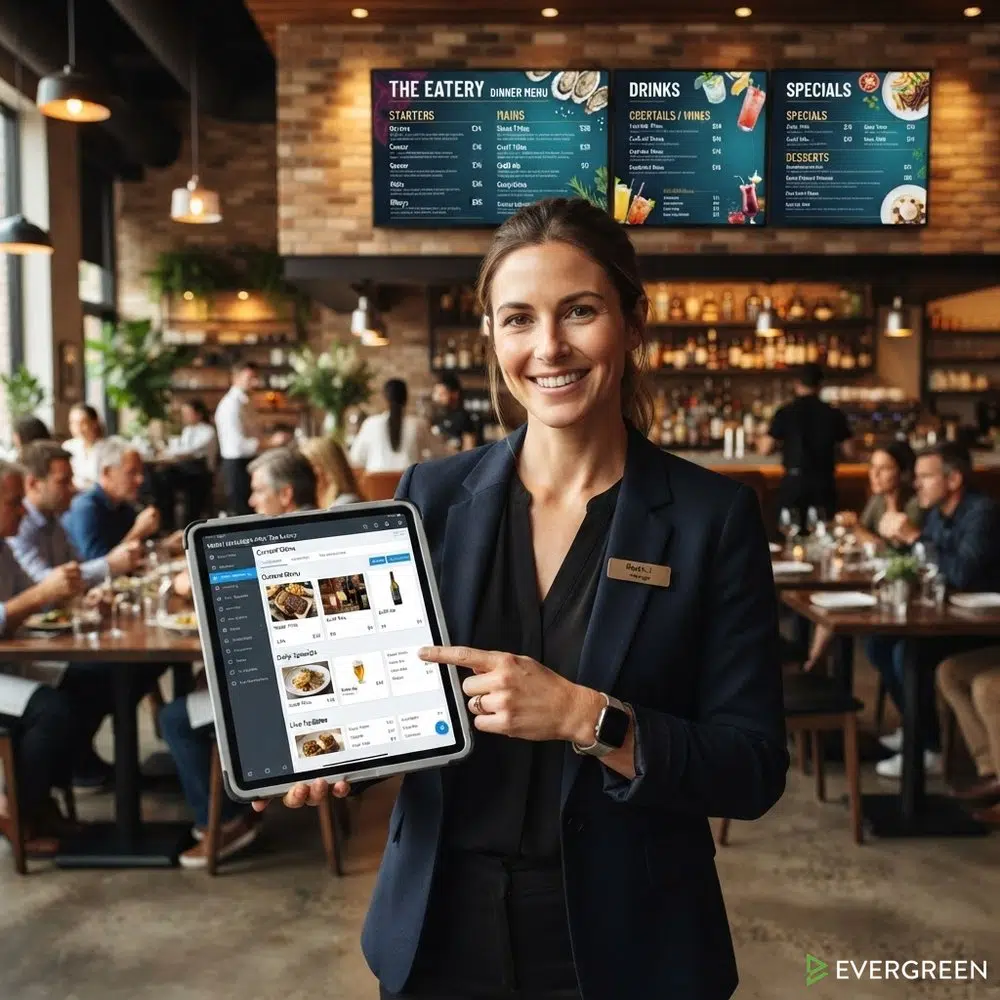
Restaurant Owners See Evergreen’s Digital Menu Software in Action
Join 4,500+ restaurants, bars, and breweries using Evergreen to modernize their menus.
Why Digital Menu Software Training Matters
Too many restaurants depend on a single person to manage their digital menu software. That person goes on vacation, calls in sick, or leaves for another job. Suddenly, no one knows how to update prices or remove a sold-out item. Digital menu software training solves this problem by spreading knowledge across your whole team.
The National Restaurant Association reports that proper onboarding techniques and technology create successful employees. When you train multiple staff members on your menu platform, you reduce downtime and keep displays accurate. One operator using Evergreen noted that their staff no longer needed to climb ladders to update boards. They could rotate taps every few days and sync everything in minutes. That kind of confidence comes from structured menu management training, not guesswork.
Choosing the right system also matters. Start by reviewing how to choose the right digital menu board system before you build your training plan.
Who to Train on Your Team

Not everyone needs the same level of digital menu software training. Match the training depth to each role and its responsibilities.
Managers and Assistant Managers
Managers need full access and complete training. They should know every feature of the digital menu software. This includes editing items, scheduling menus, and managing menu software permissions for other users. Train at least two managers so coverage never lapses.
- Full dashboard proficiency
- Menu scheduling and daypart setup
- Permission management for all staff
- Template editing and design changes
- Troubleshooting display issues
Front-of-House Staff
Your FOH team interacts with guests and spots menu issues first. They need focused digital menu software training to make quick updates during shifts. Toast’s front-of-house training guide emphasizes teaching staff the full guest experience flow. Apply the same principle to your menu platform.
- Updating item availability (86 an item)
- Changing prices for specials or happy hour
- Adding limited-time offers
- Switching between daypart menus
Kitchen and Back-of-House Staff
Kitchen staff may not manage displays directly. But they should know how to flag items that need updating. Include them in basic digital menu software training so they understand the process. A line cook who can mark an item as sold out saves the manager a step.
What to Cover in Digital Menu Software Training
Structure your digital menu software training around specific tasks. Do not try to teach everything at once. Break sessions into focused modules.
Dashboard and Platform Basics
Start with a tour of the digital menu software dashboard. Show trainees where menus live, how boards connect, and where settings live. This session kicks off your digital menu software training. Keep it under 20 minutes. Cloud-based menu management makes this step simple since everything runs in a browser.
Adding and Editing Menu Items
This is the core of your digital menu software training. Every trainee should be able to add a new item, edit a price, and remove an item. Walk through each step live on a test board. Let trainees practice while you watch.
- Add a new menu item with name and price
- Edit an existing item description
- Remove or hide an item
- Reorder items within a category
- Apply tags or dietary labels
Scheduling and Daypart Menus
Most digital menu boards support scheduled changes. Digital menu software training should cover scheduling from day one. Teach staff how to set up happy hour menus, brunch menus, and seasonal rotations. This prevents the need for manual switches every day.
- Create a daypart schedule (lunch, dinner, late night)
- Set up a happy hour menu with a timer
- Schedule seasonal menu swaps in advance
- Test scheduled changes before they go live
Permissions and Access Control

Not every staff member needs full access. Menu software permissions let you control who can edit what. Set up role-based access during your digital menu software training so trainees understand their boundaries. The top features to look for in digital menu software include user roles and permission tiers.
- Admin role: full access for managers
- Editor role: item updates for shift leads
- Viewer role: read-only access for kitchen staff
- Review the permission log to track changes
How to Test Staff Competency
After digital menu software training, test each person before giving them live access. Use a checklist to verify they can complete tasks independently.
Practical Skills Assessment
Give each trainee a short list of tasks to complete on a test board. Watch them work and note any struggles.
- Add a new draft beer with price and ABV
- Mark an existing item as sold out
- Schedule a happy hour menu to start at 3 PM
- Change a price and confirm it appears on screen
- Switch from the dinner menu to the late night menu
- Revert a change using the undo or version history
Trainees who complete all tasks pass. Those who struggle get a follow-up session. Document results so you know who is ready for live access.
Establishing Your Menu Update Protocol
Training is only the first step. You also need a protocol that keeps updates flowing. Your digital menu software training should end with a clear set of rules everyone follows.
Daily, Weekly, and Seasonal Updates
Define who handles updates and when. A written protocol removes confusion during busy shifts. For multi-unit operators, multi-location menu management keeps every location consistent.
- Shift open: verify the correct daypart menu is live
- Mid-shift: 86 sold-out items immediately when they run out
- Shift close: review and prep the next day’s scheduled menus
- Weekly: update specials, prices, and seasonal items
- Quarterly: audit the full menu for accuracy and design
Assigning Ownership
Name a primary and backup menu manager for each shift. This ensures someone always owns the task. Manual menu management has hidden costs when no one takes ownership. Avoid that trap by assigning clear roles.
Toast’s restaurant onboarding guide recommends spreading the onboarding process across the first 90 days. Apply the same timeline to your menu platform training.
Restaurant Owners See Evergreen’s Digital Menu Software in Action
Join 4,500+ restaurants, bars, and breweries using Evergreen to modernize their menus.
Documentation and Reference Materials
Create a one-page quick reference guide for common tasks. Include screenshots and step-by-step instructions. Store it where staff can find it during a rush. Post a QR code linking to the guide near your menu management station.
- How to 86 an item (3 steps with screenshot)
- How to change a price (2 steps with screenshot)
- How to switch daypart menus (1 step with screenshot)
- Who to call when the display goes down
Common Training Mistakes to Avoid
Even the best digital menu software training can fall flat if you make these errors. Watch for them and correct course early.
- Training only one person and creating a single point of failure
- Cramming every feature into a single long session
- Skipping hands-on practice and only showing demos
- Forgetting to set up permissions before giving access
- Never testing competency before going live
- Failing to update training when the software adds features
Set up a digital menu board properly before training begins. Staff learn faster on a system that is already configured.
Frequently Asked Questions
| Question | Answer |
|---|---|
| How long should digital menu software training take? | Plan for two sessions of 30 to 45 minutes each. Add a 15-minute competency test after the second session. |
| How many staff members should I train? | Train at least two managers and two shift leads. This ensures coverage on every shift. |
| Do I need to retrain staff when the software updates? | Yes. Schedule a 15-minute refresher whenever the platform releases a major update or new feature. |
| Can kitchen staff update the digital menu? | They can if you give them permissions. At minimum, train them to flag items that need updating. |
| What if a staff member fails the competency test? | Schedule a follow-up session focused on the tasks they missed. Re-test them before granting live access. |

Build a Team That Manages Menus With Confidence
Strong digital menu software training turns every shift into a smooth operation. Your team can update prices, manage boards, and keep displays accurate without relying on one person. Evergreen makes the process simple with an intuitive platform built for operators. Ready to get started? Book a Demo to learn more about digital menu software training for your team.

About Casey Marte
Senior SEO & Digital Marketing Strategist, EvergreenHQ
Casey Marte is a Senior SEO & Digital Marketing Strategist at EvergreenHQ, with over 14 years of experience across content strategy, search optimization, and AI-driven marketing. She specializes in making complex digital concepts practical for the operators who need them most.
At EvergreenHQ, Casey brings a data-first mindset to everything from how your business ranks in search to how your brand shows up across platforms. Whether you are running a single taproom or a growing multi-unit restaurant group, she is focused on making sure your digital presence works as hard as your team does.