Choosing the right digital menu board software is one of the most impactful technology decisions a bar or restaurant operator makes. The wrong system locks you into a clunky interface, requires IT support to make basic changes, and creates inconsistencies between your in-venue boards and your website menu. The right digital menu board software puts every update at your fingertips, syncs your entire digital presence from one dashboard, and pays for itself within months through eliminated print costs alone. This guide walks through exactly what to look for — and how Evergreen stacks up against the key criteria.

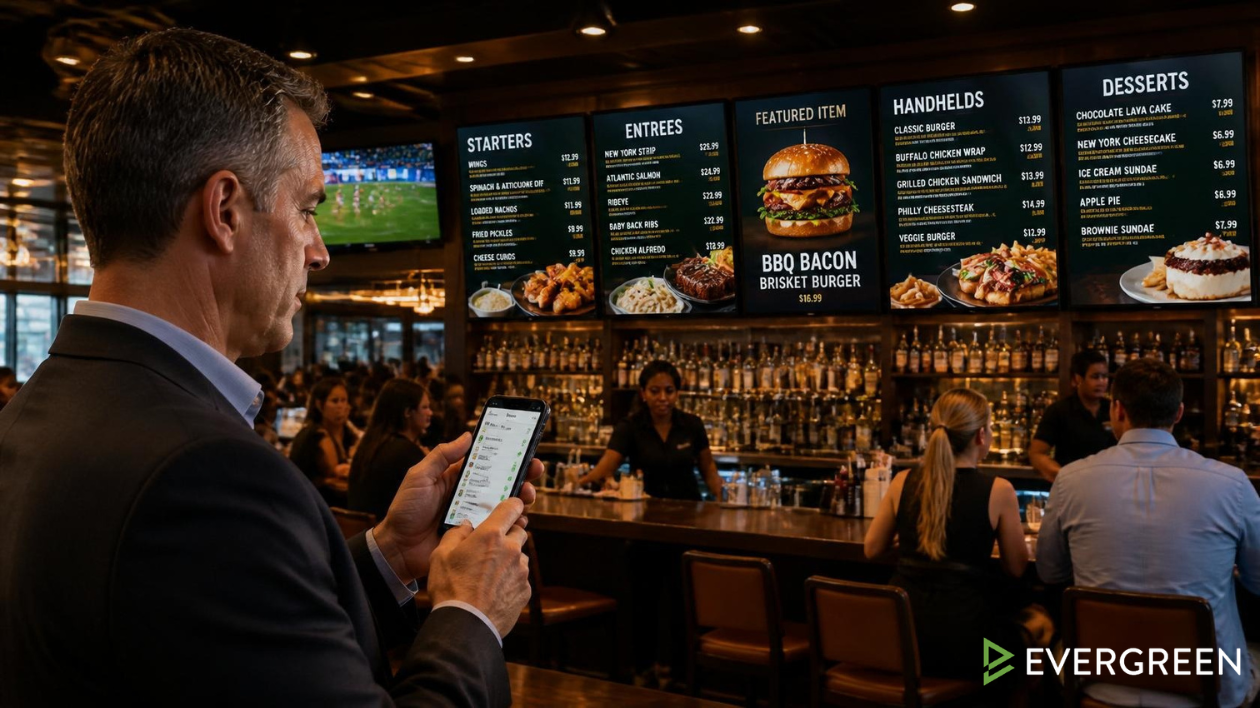
Bar Owners See Evergreen’s Digital Menu Software in Action
Join 4,500+ restaurants, bars, and breweries using Evergreen to modernize their menus.
What Digital Menu Board Software Actually Does
Digital menu board software is the platform that powers the content displayed on your in-venue digital screens — managing what appears, when it appears, and how it updates. At the basic level, it lets you display your menu on a screen and make changes without reprinting. At the advanced level, it syncs your in-venue boards with your website menu and print files, automates daypart switching, manages multiple locations from one dashboard, and provides analytics on menu performance.
The difference between basic and advanced digital menu board software is the difference between a tool that saves you from a print run and a platform that actively manages your menu across every guest touchpoint.
7 Things to Look for in Digital Menu Board Software
1. Real-Time Updates From Any Device
The most important feature in any digital menu board software is how quickly and easily you can make changes mid-service. If updating your boards requires a desktop computer, a software install, or more than two minutes — it’s not built for real hospitality operations. Look for a cloud-based platform you can update from your phone, tablet, or any browser.
2. Website Menu Sync
Your in-venue boards and your website menu should always match. Guests plan visits based on what they see online — if your website shows an item you no longer carry, or a price that doesn’t match the board, you’ve created a friction point before the guest even arrives. Evergreen updates both simultaneously from one dashboard.
3. Daypart Automation
Your digital menu boards should switch between breakfast, lunch, dinner, and late-night menus automatically — at the times you set, every day, without staff intervention. This is a non-negotiable feature for any operator running multiple dayparts.
4. Multi-Location Management
If you have or plan to have more than one location, you need digital menu board software that manages all locations from one dashboard. Push a price change or a new special to all locations simultaneously — or selectively push to specific locations.
5. Print Menu Integration
The best platforms generate print-ready Menu PDFs from the same menu data that powers your digital boards. This eliminates the manual work of maintaining separate print files and ensures your printed menus always match your boards.
6. Reliable Hardware Compatibility
Commercial-grade displays (40–75″) paired with a dedicated media player are the standard for reliable digital menu board operation. Avoid platforms that only support consumer smart TVs — they’re not built for the operational demands of a bar or restaurant environment.
7. Dedicated Onboarding and Support
Setup matters. The best digital menu board software providers offer dedicated onboarding support — not just a help center article — to get your system up and running correctly. Evergreen includes hands-on setup support for every new account.
| Feature | Why It Matters | Evergreen |
|---|---|---|
| Real-time mobile updates | Change menus mid-service from any device | ✅ Yes |
| Website menu sync | Online and in-venue always match | ✅ Yes |
| Daypart automation | Auto-switch menus by time of day | ✅ Yes |
| Multi-location management | One dashboard for all locations | ✅ Yes |
| Print menu generation | Print-ready PDFs from menu data | ✅ Yes |
| Commercial hardware support | Reliable for daily bar/restaurant use | ✅ Yes |
| Dedicated onboarding | Get set up correctly from day one | ✅ Yes |
Frequently Asked Questions About Digital Menu Board Software
| Question | Answer |
|---|---|
| How much does digital menu board software cost? | Plans start around $49/month. Most operators recover the full cost within the first month through eliminated print runs. |
| What hardware do I need for digital menu boards? | Commercial displays (40–75″) and a dedicated media player. Evergreen supports multiple hardware options and provides guidance on setup. |
| How long does it take to set up digital menu board software? | With Evergreen’s onboarding support, most operators are fully set up within a few days — hardware installation plus content setup. |
| Can I manage multiple locations from one dashboard? | Yes — Evergreen supports multi-location management. Push updates to one location, all locations, or any specific combination. |
| Does digital menu board software work with my existing screens? | It depends on the screens. Commercial-grade displays with HDMI input work with most platforms. Consumer smart TVs may have compatibility limitations. |
Choose Digital Menu Board Software Built for Operators
The right digital menu board software should make menu management easier, faster, and more consistent — not harder. Evergreen was built from day one for bars, restaurants, and breweries — with real-time updates, website sync, daypart automation, and dedicated support included. Start your free 30-day trial today.

About Casey Marte
Senior Technical Content & Product Marketing Strategist
Casey Marte is a Senior SEO & Digital Marketing Strategist at EvergreenHQ. With over 14 years of experience across content strategy, search optimization, and now AI-driven marketing, she specializes in making complex digital concepts practical for the operators who need them most.
At EvergreenHQ, Casey brings a data-first mindset to everything from how your business ranks in search to how your brand shows up across platforms. Whether you’re running a single taproom or a growing multi-unit restaurant group, she’s focused on making sure your digital presence works as hard as your team does.