ELIMINATE PAPER COSTS WITH CONTACTLESS QR CODES
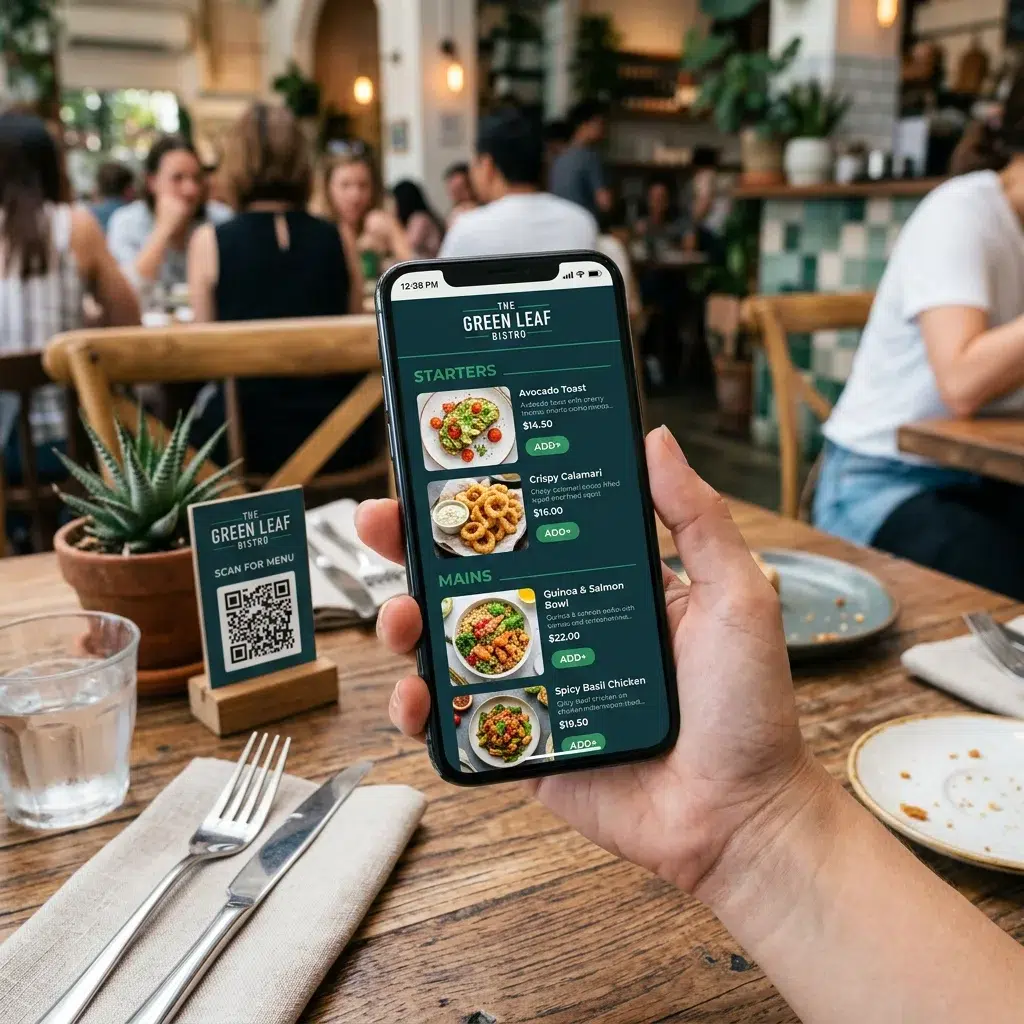
Generate scannable QR codes for your print menus, website, online orders, draft and beverage lists with Evergreen. A great compliment to Evergreen’s Digital Menus.
30 Day FREE Trial! No Credit Card Required.
GET MY FREE DEMO
Free Demo form used on multiple pages.
ELIMINATE PAPER COSTS WITH CONTACTLESS QR CODES
Generate scannable QR codes for your digital menus, print menus, website, online orders, and food, beverage or draft lists — all from one Evergreen account. Update your menu with Evergreen’s free digital menu templates once and every scan stays current, forever, or change it as often as you like.
| Feature | Description |
|---|---|
| Always Current | Regardless of rotation rate, the same QR code always brings up your latest menu. Never reprint a code again. |
| One Code, Multiple Destinations | Send guests to your digital menu, website, online ordering link, Google listing, or draft list — your choice. |
| Branded & Customizable | Maintain your brand identity. Evergreen’s QR codes are customizable and can be embedded into your existing print design. |
| Laminate-Ready | QR codes can be laminated into table tents, making them durable for outdoor use and changing weather conditions. |
| No App Required | Guests scan with their phone camera — no download, no account, no friction. |
| Place It Anywhere | Tables, host stands, windows, entry signs, delivery bags, your website — wherever guests are looking. |
Bar Owners See Evergreen’s Digital Menu Software in Action
Join 4,500+ restaurants, bars, and breweries using Evergreen to modernize their menus.
HOW IT WORKS (3 STEPS)
Up and Running in 3 Steps
Step 1: Create Your Menu in Evergreen Build your menu in Evergreen’s editor — whether it’s a food menu, draft list, cocktail menu, or a link to your online ordering page. Your content lives in one place.
Step 2: Generate Your QR Code Click “Contactless Menus,” select the menu or destination you want guests to reach, and Evergreen instantly generates a unique QR code. Save it and you’re
Step 3: Place It and Let It Work Print the QR code on table tents, laminated inserts, signage, or your website. Every time a guest scans, they see your current menu — no matter how many times you’ve updated it since printing.
USE CASES
Dine-In Menus – Give tables instant access to your food and drink menu without a server handoff. Update specials, 86 items, or pricing in real time — guests always see what’s current.
Draft & Beverage Lists – High-rotation tap lists used to mean daily reprints. With Evergreen, one QR code on the bar or table tent always reflects today’s tap list, no matter how often it changes.
Online Ordering – Link your QR code directly to your online ordering page. No extra steps, no hunting for a URL — guests scan and order.
Website & Google Listing – Drive guests to your full website or Google Business listing from any physical touchpoint. Perfect for takeout counters, waiting areas, or window signage.
Events & Specials – Running a prix fixe, happy hour, or seasonal menu? Point the QR code at a dedicated page and swap it out whenever you’re done — same code, no reprinting.
COST & SUSTAINABILITY
Print Once. Save Every Day After.
Every time your menu changes, you save a print run. For venues that update daily — especially those with rotating draft lists or seasonal specials — the savings add up fast.
- No daily reprints for rotating food menu items, beverages or tap lists or specials
- No reprinting QR codes — the same code works forever
- Laminated table tents last through weather, outdoor use, and regular handling
- Reduce paper waste with a permanent, eco-friendly solution
Regardless of rotation rate, the same QR code will always bring up your current menu.
“We print menus everyday, sometimes multiple times a day. Before Evergreen, I had to do this in photoshop and it was taking me 30 minutes a day to keep up. Now, all I do is update my beer list, click print and they take care of the rest. I could not imagine going back to the way it was before.”
Frequently Asked Questions
| Do my guests need to download an app to use the QR code? No. Guests simply open their phone camera and point it at the code. A link appears at the top of their screen—one tap and they’re on your menu. No app, no account, no friction. |
| What happens when I update my menu? Do I need a new QR code? Never. Evergreen uses dynamic QR codes, meaning the code itself never changes. When you update your menu in Evergreen, every future scan automatically reflects those changes instantly. |
| Where can I place the QR code? Anywhere guests might look: table tops, table tents, host stands, windows, entry signage, takeout bags, and your own website. If guests can see it, they can scan it. |
| Can one QR code point to multiple destinations? Yes. You can direct guests to your print menu, website, Google listing, online ordering link, or TapHunter listing. Choose the destination that best fits the placement. |
| Can the codes be laminated? Yes. Evergreen’s QR codes are designed to be laminated for reusable table tents, making them durable for outdoor tables and high-traffic environments. |
| Do I need special equipment or displays to use QR menus? No. QR menus work on any modern smartphone camera. There’s nothing to install on your end beyond creating your menu in Evergreen and printing the code. |
| Is this included in my Evergreen plan? Yes. QR code generation is built into Evergreen, so there is no separate add-on required. |
Ready to Stop Reprinting?
Start your free trial today. No credit card required.
Bar Owners See Evergreen’s Digital Menu Software in Action
Join 4,500+ restaurants, bars, and breweries using Evergreen to modernize their menus.