Restaurant Inventory Control Systems: Complete 2026 Guide [+Free Template]
Restaurant Inventory Control Systems: Complete 2026 Guide [+Free Template]
A restaurant inventory control system is the difference between knowing exactly what you have — and discovering a food cost problem weeks too late. The average restaurant loses 4–10% of purchased food to waste, spoilage, and theft every year. For a restaurant doing $600,000 in revenue, that’s $19,200–$48,000 walking out the door annually. A strong restaurant inventory management system stops that leak. This guide covers how restaurant inventory control works, what features matter most, and how pairing inventory tools with digital menu software creates a complete system for protecting your margins.
What Is a Restaurant Inventory Control System?
A restaurant inventory control system is any process or software that tracks what food and beverage you purchase, what you use, and what you have on hand — and compares that to what your sales data says you should have. The goal is simple: eliminate the gap between what you buy and what you sell.
Modern restaurant inventory management systems range from simple spreadsheets to fully integrated software platforms that connect your POS, purchasing, and menu systems. Here’s how they break down:
System Type
Best For
Avg Monthly Cost
Spreadsheet (manual)
Single-location, low SKU count
Free
POS-integrated inventory
Restaurants using Toast, Square, etc.
$50–$150
Dedicated inventory software
Full-service restaurants, multi-location
$150–$500
Enterprise ERP
Large chains, franchise operators
$500+
6 Core Features Every Restaurant Inventory System Needs
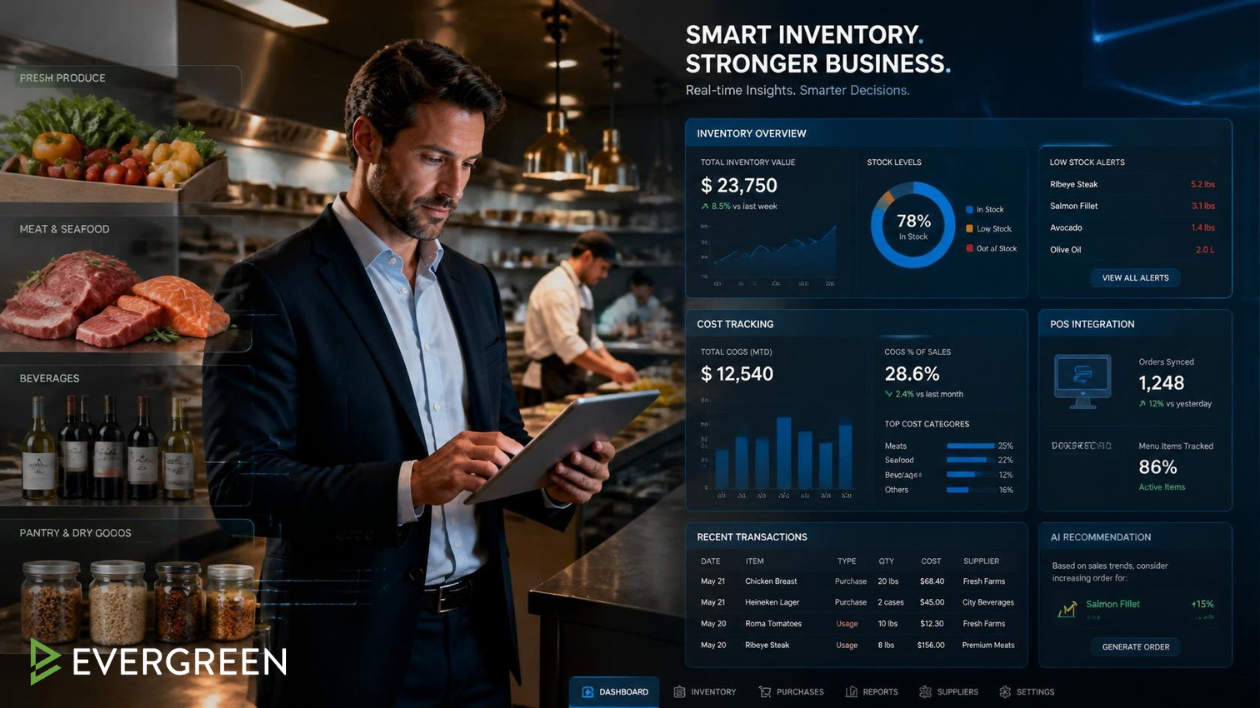
Real-time count tracking — Know what’s on hand at any moment, not just at weekly count time. Every sale should automatically decrement inventory when connected to your POS.
Par level alerts — Automatic notifications when stock drops below your minimum threshold. No more running out of your top-selling item mid-service.
Vendor management and purchase orders — Create, send, and track purchase orders from within the system. Compare vendor pricing over time to negotiate better deals.
Waste tracking — Log spoilage, breakage, and comped items separately from sales usage. This data is essential for identifying your actual food cost problem areas.
Recipe costing — Build each menu item as a recipe with exact ingredient quantities. The system then calculates your theoretical food cost versus actual, surfacing where margin is leaking.
Reporting and variance analysis — Regular reports comparing theoretical usage to actual usage. Any gap above 2–3% warrants investigation — it’s either waste, theft, or portion inconsistency.
According to Toast’s Restaurant Success Report, restaurants using integrated inventory management systems reduce food costs by an average of 3–5 percentage points compared to those using manual methods.
Bar Owners See Evergreen’s Digital Menu Software in Action
Step 1: Count Everything and Build Your Database
Start with a full physical inventory count. Every item in your walk-in, dry storage, and bar gets counted and entered into your system with unit cost, par level, and primary vendor. This baseline is your foundation for all future variance analysis.
Step 2: Connect Your POS and Build Recipes
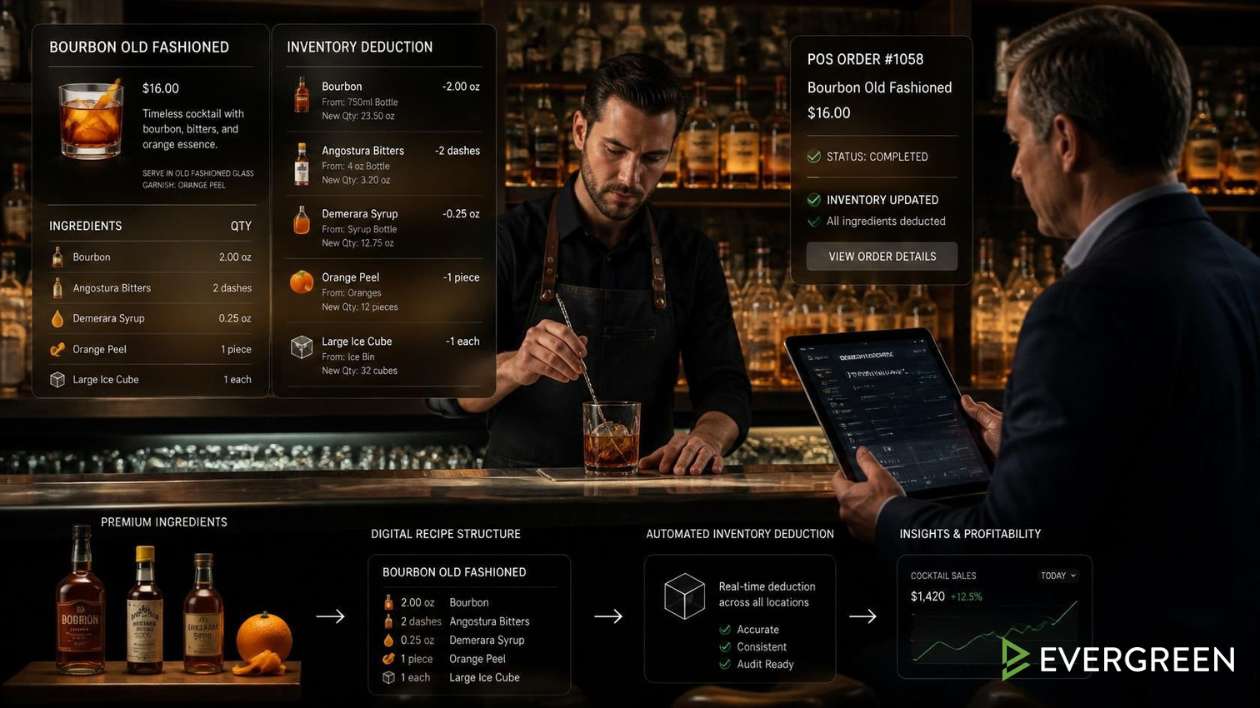
Build every menu item as a recipe in your inventory system. Each ingredient gets assigned a quantity per serving. When a sale is recorded in your POS, the system automatically deducts the appropriate quantities from on-hand inventory. This creates your theoretical usage — what you should have used based on sales.
Step 3: Conduct Regular Counts and Reconcile
Weekly counts for high-value items (proteins, seafood, spirits), bi-weekly for mid-range, monthly for dry goods. Compare actual on-hand to theoretical on-hand. The variance is your problem number. Most restaurant inventory control systems generate this report automatically.
Step 4: Pair Inventory With Your Menu System
This is where most operators leave money on the table. Your restaurant inventory system can tell you when you’re running low on an ingredient — but without a way to instantly update your menu, your servers are still selling dishes you can’t make. Digital menu software like Evergreen lets you 86 items across every menu board and your website menu in seconds — eliminating the frustration and waste of items being ordered that you can’t fulfill.
The Cost of Not Having a Restaurant Inventory Control System
Problem
Impact
Annual Cost (on $600K revenue)
Food waste (4%)
Spoilage, over-ordering, portions
$24,000
Theft (1–2%)
Undetected employee theft
$6,000–$12,000
Menu errors (86’d items)
Guest dissatisfaction, comps
$2,000–$5,000
Excess ordering
Cash flow tied up in inventory
$5,000–$15,000
Total estimated loss
From poor inventory control
$37,000–$56,000
A dedicated restaurant inventory control system — even a $150/month platform — pays for itself many times over when it eliminates even a fraction of that loss. The National Restaurant Association Educational Foundation consistently identifies inventory management as one of the highest-ROI investments a restaurant operations.
Bar Owners See Evergreen’s Digital Menu Software in Action
Join 4,500+ restaurants, bars, and breweries using Evergreen to modernize their menus.
Frequently Asked Questions About Restaurant Inventory Control
Question
Answer
What is a restaurant inventory control system?
Software or processes that track food and beverage inventory — what you purchase, use, and have on hand — and compare it to sales data to identify waste and theft.
How often should restaurants do inventory?
Weekly for high-value items like proteins and spirits, bi-weekly for mid-range items, monthly for dry goods.
What is a good food cost percentage?
28–35% of revenue is the standard target. Above 35% consistently signals a control problem.
Can inventory software reduce food costs?
Yes — restaurants using integrated inventory management report 3–5% food cost reductions on average.
How does digital menu software help with inventory?
It lets you instantly remove 86’d items from all menus when stock runs low — preventing orders you can’t fulfill and reducing waste from over-ordering to compensate.
What’s the best inventory system for small restaurants?
POS-integrated options like Toast Inventory or MarketMan are strong for most operators. Spreadsheets work for very simple, low-SKU concepts.
Take Control of Your Restaurant Inventory — and Your Margins
A solid restaurant inventory control system is one of the most direct paths to improving your net margin. Combine it with Evergreen’s digital menu software and you have a complete picture — track what you have, update what you’re selling, and keep every menu accurate in real time across every customer touchpoint. Join 4,500+ operators already running tighter operations. Start your free trial today.
About Casey Marte
Senior SEO & Digital Marketing Strategist, EvergreenHQ
Casey Marte is a Senior SEO & Digital Marketing Strategist at EvergreenHQ, with over 14 years of experience across content strategy, search optimization, and AI-driven marketing. She specializes in making complex digital concepts practical for the operators who need them most.
At EvergreenHQ, Casey brings a data-first mindset to everything from how your business ranks in search to how your brand shows up across platforms. Whether you’re running a single taproom or a growing multi-unit restaurant group, she’s focused on making sure your digital presence works as hard as your team does.



![Restaurant Inventory Control Systems: Complete 2026 Guide [+Free Template]](data:image/svg+xml,%3Csvg%20xmlns='http://www.w3.org/2000/svg'%20viewBox='0%200%202100%201100'%3E%3C/svg%3E)


![Restaurant Inventory Control Systems: Complete 2026 Guide [+Free Template]](https://www.evergreenhq.com/wp-content/uploads/2026/06/digital-menu-solutions.webp)