Restaurant social media marketing is using platforms like Instagram, Facebook and TikTok to bring guests through your door. It covers your profiles, posts, replies, reviews and ads. Evergreen has helped more than 4,500 bars, restaurants and local businesses since 2012. Our social media tools let you post and reply from the same dashboard that runs your menu. Social works best when it is consistent and tied to what you are serving this week. This guide covers profiles, content, engagement, ads and timing. Here is how to build a social plan you can actually keep up with.
Set Up Your Restaurant Social Media Profiles
Your profiles are often the first thing a new guest sees. Use the same name, logo, profile photo and bio on every platform. Add your address, hours, phone number and a link to your menu and reservations. Turn on booking and ordering buttons where the platform offers them. Keep your Google Business Profile updated too, since many guests check it alongside social.
Choose the Right Platforms
- Instagram: food and drink photos, Reels and Stories. Strong for discovery.
- Facebook: events, reviews and local groups. Useful for older regulars.
- TikTok: short videos of your kitchen, bar and staff.
- Google: not social, but photos, posts and reviews show up in local search.
You do not need every platform. Pick two you can post on every week and do them well.
What to Post on Restaurant Social Media
- Menu items: clear, well-lit photos of your best sellers and new dishes.
- Specials and events: happy hour, trivia, live music and holiday menus.
- Behind the scenes: prep, plating and your bartenders at work.
- Your team: staff spotlights help guests feel connected.
- Guest content: reposts of photos guests tag you in, with permission.
Shoot in good light and keep your kitchen and bar clean in every frame. Short videos with natural sound often feel more real than polished ads.
Engage With Your Followers
Reply to comments and messages quickly. Answer questions about hours, reservations and menu items. Thank people who tag you. Respond to negative comments calmly and take the details to a private message. Our guide to responding to reviews has examples. A single inbox for messages and reviews makes this much easier to keep up with.
Use Giveaways and Guest Content
Guest photos are free marketing. Ask guests to tag you or use a hashtag, then share the best ones. A simple giveaway, like a free appetizer for the best photo of the month, encourages more posts. Read our post on user generated content for bars for ideas.
Social Media Ads for Restaurants
Ads put your posts in front of people nearby who do not follow you yet. Start small. Boost a post about an event or a new menu item to people within a few miles. Set a daily budget and a clear end date. Track reservations, calls and visits, not just likes. Turn off ads that do not drive action and put the budget behind the ones that do.
Post Consistently
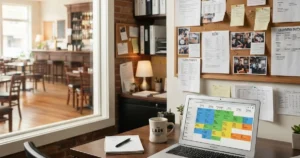
Consistency matters more than volume. Aim for a few posts a week on each platform you use. Build a simple content calendar so you are not scrambling every morning. Schedule posts ahead for busy weeks and holidays. Our guide to using a content calendar walks through it. Check your platform’s insights monthly to see which days and times your followers engage most.
Connect Social Media to Your Menu
Your social posts and your menu should tell the same story. When you post a special, make sure it is on your digital menu boards and website menu too. When it sells out, take it down everywhere. Evergreen’s Social Post Composer and Social Inbox keep posting and replies in one place.
Restaurant Social Media FAQs
How often should a restaurant post on social media?
A few times a week per platform. Consistency beats volume. Use a content calendar to plan ahead.
Which social platform is best for restaurants?
It depends on your guests. Instagram is strong for food photos and discovery. Facebook works well for events and local regulars.
Should restaurants pay for social media ads?
Yes, in small amounts. Target people nearby and promote specific events or menu items. Track bookings and visits, not just likes.
Build a Social Plan Guests Will Follow
Set up strong profiles, post what guests want to see and reply to everyone. Keep your social posts and menus in sync. For more ideas, visit the Bar Marketing Hub. Book a demo to see Evergreen’s social and menu tools together.