If you’re an independent bar or restaurant, chances are you’re running your digital menu on a regular consumer TV. (Most digital boards run through a hardware device that plugs into the television via HDMI.) The good news: TVs are cheaper and better than they’ve ever been. A genuinely solid 43″ 4K smart TV now regularly sells for under $200 is something that would have been unheard of even five years ago. There aren’t many bad options left; it’s really about matching a screen to your space and budget.
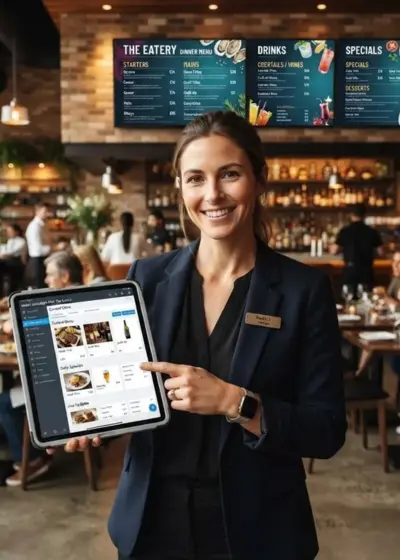
Restaurant & Owners See Evergreen’s Digital Menu Software in Action
Join 4,500+ restaurants, bars, and breweries using Evergreen to modernize their menus.
How to Choose the Best TV for Your Digital Menu
Let’s break down what actually matters when you’re buying a TV to showcase food and drink items, not to watch movies on.
Display Type: LED, QLED, and Mini-LED
The “LED vs. LCD” debate that used to dominate this conversation is basically settled. Nearly every TV sold today is an LED-backlit LCD panel. The distinctions that matter now are:
- Standard LED/LCD — the budget tier, and still perfectly good for a menu board.
- QLED — adds a quantum dot layer for brighter, richer color. Increasingly common even at budget price points in 2026.
- Mini-LED — smaller, more numerous backlight zones for better contrast and brightness control. Nice to have, but overkill for most bars and restaurants.
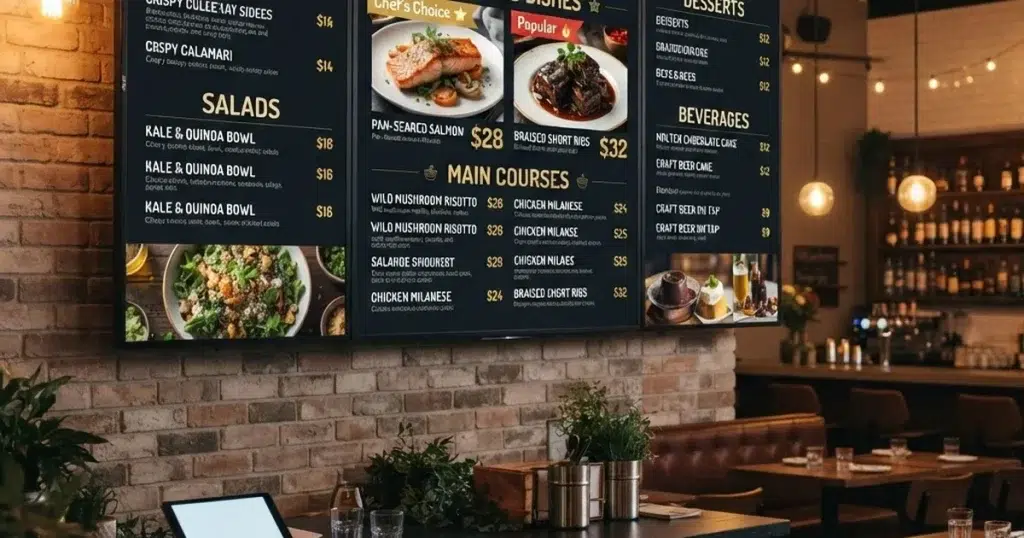
For a menu board, you don’t need top-tier contrast performance, you need a bright, legible, evenly lit screen. Standard LED or QLED covers that easily.
Resolution
4K is no longer the “buzzworthy upcharge” it was in 2019 and it’s the default. Most budget 40″–43″ TVs sold today ship in 4K, and pricing has come down enough that there’s rarely a reason to seek out a 1080p model just to save money. That said, 1080p Full HD is still completely fine for a menu board when you’re displaying text and photos, not 4K film content, and most digital menu software won’t produce true 4K assets anyway. Bottom line: buy whichever resolution is the better deal for the size and brand you want. Neither will look “wrong” for a menu display.
LEARN MORE: DIGITAL MENU BOARD HARDWARE 101
Size and Layout
Size and placement are still driven by the same question as always: where will you get the most eyes on the screen? Make it easy for guests to scan options and place orders and digital boards are one of the easiest ways to upsell and drive impulse purchases.
Many businesses run multiple screens for different jobs like a primary menu board above the bar or counter, plus secondary screens in seating areas for social content, promos, or events.
A few sizing rules of thumb still hold:
- Larger rooms generally do better with larger screens.
- The farther customers stand from the screen, the less resolution matters (a 1080p screen at 8+ feet away looks just as sharp as 4K).
- Portrait orientation is a great option if you already have several TVs on the wall (think sports bars), it stands out and can make menu items feel more prominent.
Landscape orientation is still the standard for tap rooms, bars, and counter-service restaurants that want to show a wide selection of items at once, especially when customers are close enough to read a large layout.
Restaurant & Bar Owners See Evergreen’s Digital Menu Software in Action
Join 4,500+ restaurants, bars, and breweries using Evergreen to modernize their menus.
Where to Find Deals on TVs for Your Digital Menu Board
The good news hasn’t changed: even entry-level TVs are high quality now, and deals are everywhere. Black Friday and Cyber Monday are still the best times to buy if you can wait, and Walmart and Costco both consistently run some of the lowest everyday prices on 40″–43″ smart TVs and often with same-day pickup or delivery, which matters if you need a screen up fast.
We pulled current Walmart pricing to give you a real, shoppable starting point. These were chosen for a mix of low price, strong ratings, and size options that work well for a bar or restaurant menu board.
The Best (Budget) TVs at Walmart in 2026
Hisense 40″ Class H4 Series FHD Roku Smart TV (40H4030F1)
The cheapest legitimate option on this list, and the single best-reviewed TV in the group by review count. 1080p, built-in Roku, and more than enough brightness and clarity for a menu board.
Rating: 4.4/5 (44,600+ reviews) Price: $138.00 Check it out on Walmart
onn 43″ Class 4K UHD Smart TV, Powered by VIZIO (43S4V1)
Walmart’s in-house onn brand has become a legitimate budget pick, and this one runs on VIZIO’s smart TV software. 43″ and full 4K for under $150 is about as good a value as exists in this category right now.
Rating: 4.2/5 (1,690+ reviews) Price: $148.00 Check it out on Walmart
VIZIO 43″ Class Quantum Full HD QLED Smart TV (VFQ43M-10)
A newer 2026 model bringing QLED color to a sub-$150 price point. If you want a brighter, punchier-looking board without stepping up in size, this is the pick.
Rating: 4.4/5 (1,160+ reviews) Price: $148.00 Check it out on Walmart
TCL 43″ Q31K Series 1080P FHD QLED Smart TV with Google TV
TCL remains one of the most trusted names in budget TVs, and the Q31K brings QLED brightness to a straightforward 1080p, Google TV-powered set is a great middle-ground option.
Rating: 4.3/5 (650+ reviews) Price: $178.00 Check it out on Walmart
Hisense 43″ Class 4K UHD LED Smart Roku TV, R6 Series (43R6E3)
If you want true 4K in the 43″ size along with Roku’s simple interface, this is the standout with sharp image, HDR support, and a large, proven review base.
Rating: 4.4/5 (3,090+ reviews) Price: $208.00 Check it out on Walmart
Regardless of which TV you choose, you’ll still need the right menu software to actually put it to work, something customizable, easy for staff to update, and built specifically for bars and restaurants.
Restaurant & Bar Owners See Evergreen’s Digital Menu Software in Action
Join 4,500+ restaurants, bars, and breweries using Evergreen to modernize their menus.
We’re confident we know the best option there, too. Evergreen is sleek, intuitive, and powerful without ever limiting your creativity. Need to update your menu on the fly? It’s simple to make changes from whatever device you prefer, be it mobile, desktop, or tablet. Get a free demo today!
About Casey Marte

Casey Marte is the Senior Technical Content & Product Marketing Manager at EvergreenHQ, where she turns complex bar and restaurant tech into clear, practical stories operators can actually use. Drawing on years of experience with POS systems, inventory platforms, and front-of-house tools, she specializes in explaining how technology, automation, and AI can simplify daily service and boost profitability