

Modern bars operate like orchestras—multiple systems must work in harmony to create seamless operations and exceptional customer experiences. From Digital Menus to POS system integration, which has become essential for restaurants, nearly 80% of operators have plans to invest in new technology that connects their entire tech stack. The benefits are substantial: restaurants using integrated systems report significant time savings and improved operational efficiency.
However, the mostprevalent issues that arise with POS systems often revolve around software malfunctions, hardware malfunctions, network issues, and user errors. Understanding how to properly integrate and maintain these POS connections can mean the difference between smooth operations and costly downtime.
Understanding POS Integration: Beyond Basic Payment Processing
The Evolution of Modern POS Systems
A modern POS system does more than process payments; it streamlines operations, improves order accuracy, enhances customer experience, and drives real-time insights that boost profitability. Today’s POS systems serve as the central hub connecting inventory management, digital menus, customer loyalty programs, accounting software, and analytics platforms.
Restaurant technology integrations involve combining different tech solutions to improve how restaurants operate and serve customers. These integrations help streamline operations by connecting point-of-sale systems, inventory management, online ordering, and customer relationship management.
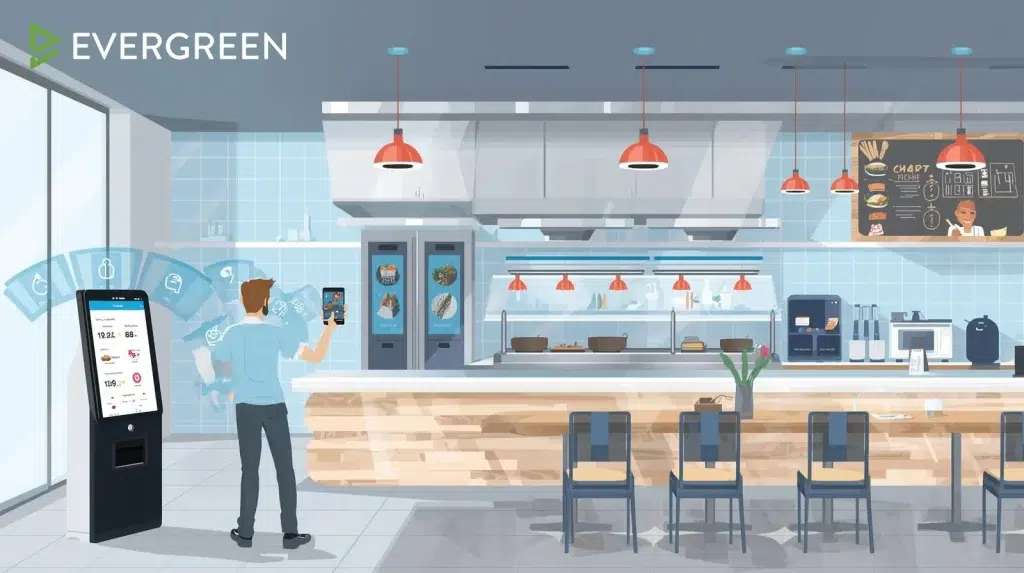
Key Integration Benefits
Operational Efficiency: With integrated payment processing, any transactions you make with your customers are automatically recorded in your POS system without the need for manual entry. This automation eliminates double data entry and reduces human error significantly.
Real-time Data Synchronization: Modern POS systems integrate seamlessly with other restaurant technologies, like online ordering platforms and kitchen display systems, creating a unified operation. This integration enables real-time updates and improves communication between front-of-house and back-of-house staff.
Enhanced Analytics: A good POS system will also integrate with your accounting software, automating the process and reducing the potential for human error, while providing comprehensive business insights across all systems.
Essential Integration Points for Your Bar Tech Stack
Digital Menu Board Integration
Evergreen offers integration with 20+ POS systems, enabling seamless menu management and pricing synchronization. Digital menus that integrate with POS systems can quickly update prices, remove sold-out items, and highlight specials without manual intervention.
Key Integration Features:
- Automatic price synchronization across all displays
- Real-time inventory updates that remove unavailable items
- Promotional content that reflects current POS specials
- Sales data flowing back to inform menu optimization

Evergreen is the only software to offer a push-only integration with Square, automatically updating your POS when you add or delete items in the menu system. This eliminates the risk of menu-POS mismatches that can cause ordering errors and customer frustration.
Inventory Management System Connection
Restaurants that install automated inventory systems often see significant cost savings through better tracking and waste reduction. Automated inventory control systems use specialized software and technology to track and manage inventory. They often integrate with your POS system, allowing for seamless inventory updates as sales are made.
Integration Benefits:
- Automatic inventory deduction with each sale
- Real-time stock level visibility
- Automated reordering based on predefined thresholds
- Cost of goods sold calculations in real-time
Evergreen’s inventory management tools connect each beverage to its producer, location, and specifications, with the ability to insert wholesale prices and markup percentages to automatically calculate retail prices. This integration eliminates manual calculations and ensures pricing consistency across all systems.

Payment Processing and Accounting Integration
Enhanced payment processing integration is one of the leading POS trends in 2025, with systems offering advanced security technologies like end-to-end encryption and tokenization to protect customer data.
Security and Compliance Features:
- End-to-end encryption for all payment data
- Tokenization to protect sensitive customer information
- PCI compliance automation
- Automated reporting for tax and accounting purposes
The risk of human error with your customer transactions is reduced with POS systems. A POS system will automatically calculate the final bill and any other charges, improving the accuracy of transactions and reducing the risk of any potential disputes.
Popular POS Systems and Integration Capabilities
Square Integration Advantages
Square has become increasingly popular for bars and restaurants due to its comprehensive ecosystem. Evergreen’s unique push-only integration with Square allows menu changes to automatically sync with the POS system, ensuring consistency across all platforms.
Square Integration Benefits:
- Seamless menu item synchronization
- Automatic pricing updates
- Integrated loyalty program support
- Comprehensive sales reporting across platforms
Toast, Clover, and Lightspeed Connections
Evergreen’s platform supports integration with major POS providers including Toast, Clover, and Lightspeed, offering flexibility for establishments already committed to specific systems.
Multi-Platform Integration Features:
- Universal API connectivity
- Real-time data synchronization
- Customizable integration settings
- Cross-platform analytics and reporting
Cloud-Based POS Advantages
The market value for cloud-based POS software, which was at $2.24 billion in 2020, is projected to expand impressively to $13.24 billion by 2028. This growth reflects the numerous benefits these systems offer, including real-time data access from anywhere and simplified decision-making.
Troubleshooting Common Integration Issues
Connectivity Problems and Solutions
Connectivity issues are common in many technology-based environments, including those involving Point of Sale (POS) systems. These systems rely heavily on consistent and stable internet connections to process transactions, update inventory, and sync data.

Common Connectivity Issues:
- Network disruptions causing system offline status
- Wi-Fi signal interference affecting data transmission
- ISP outages creating system-wide failures
- Network congestion from multiple connected devices
Troubleshooting Steps:
The first step in troubleshooting any POS issue is ensuring the system has power and a stable internet connection. Check all physical connections, restart networking equipment, and test connectivity on multiple devices.
If your internet is slow or completely down, restart your router and modem, then test the connection on another device. If possible, switch to a wired Ethernet connection for better stability.

Software Integration Glitches
Software glitches can cause a POS system to freeze, crash, or slow down significantly, impacting daily business operations. These glitches may be caused by outdated software, conflicting third-party applications, or excessive system load.
Prevention Strategies:
- Regular software updates to include bug fixes and performance improvements
- Systematic testing of integrations before full deployment
- Monitoring system performance metrics consistently
- Maintaining backup procedures for critical operations
Restarting the POS system is one of the simplest but most effective troubleshooting steps. Like computers and smartphones, POS terminals can accumulate temporary glitches that interfere with normal operations.
Hardware Compatibility Issues
Common problems include printer malfunctions, network errors, and hardware failures. Hardware compatibility becomes especially important when integrating multiple systems.
Hardware Considerations:
- Ensure all devices meet minimum system requirements
- Verify compatibility between different system components
- Maintain current firmware versions across all devices
- Plan for hardware refresh cycles to prevent obsolescence
Evergreen’s preferred device is a Raspberry Pi, which is a mini-computer that runs our custom software and can plug into any TV via HDMI. This means you can use just about any TV on the market, providing maximum flexibility for integration setups.
Advanced Integration Strategies
Multi-Location Management
For bars with multiple locations, centralized integration becomes essential. The efficiency in scale jumps for multi-location deployments as all updates can come from one single point of management. This centralization enables:
Centralized Control Benefits:
- Unified pricing and menu management across all locations
- Consolidated reporting and analytics
- Standardized procedures and compliance monitoring
- Economies of scale in technology investments
Online Ordering Platform Integration
One of the most significant POS trends for restaurants in 2025 is integrating online ordering and delivery platforms. This integration is proving crucial for boosting revenue, with a recent U.S. Small Business Administration report highlighting a 30% increase in revenue for restaurants that have adopted this approach.
Online Integration Features:
- Seamless order flow from online platforms to POS systems
- Automatic inventory updates across all ordering channels
- Unified customer data across in-person and online interactions
- Integrated payment processing for all order types
Kitchen Display System Integration
Kitchen management software helps streamline the preparation process, optimize workflow, and ensure accurate food orders. It can integrate with POS systems to automatically display orders on kitchen screens, reducing errors and improving efficiency.
Kitchen Integration Benefits:
- Automatic order routing to appropriate kitchen stations
- Real-time preparation time tracking
- Integration with inventory systems for ingredient availability
- Performance analytics for kitchen efficiency optimization
Implementation Best Practices
Planning Your Integration Strategy
Before implementing any new technology, document your current performance including current operational workflows, existing system capabilities, and integration requirements.
Pre-Implementation Steps:
- System Audit: Catalog all existing technology and integration points
- Workflow Analysis: Document current processes and identify integration opportunities
- Requirements Definition: Specify exactly what integrations are needed and why
- Vendor Evaluation: Compare integration capabilities across different platforms
- Testing Strategy: Plan comprehensive testing before full deployment
Staff Training and Support
One of the most critical aspects of implementing an inventory control system is training your staff on how to use it effectively. The same principle applies to POS integrations.

Training Considerations:
- Comprehensive training sessions covering all integrated systems
- Clear documentation for troubleshooting common issues
- Regular refresher training as systems evolve
- Support procedures for handling integration failures during service
Some software providers (Evergreen included) have customer support staff who will walk you through the set-up process, making implementation smoother and reducing learning curves.
Monitoring and Optimization
Regularly review inventory reports and analyze key metrics such as turnover rate, stockouts, and carrying costs. Apply the same analytical approach to your integrated systems.
Performance Monitoring:
- Track system uptime and reliability metrics
- Monitor transaction success rates across integrated platforms
- Analyze data accuracy between connected systems
- Measure operational efficiency improvements from integration
Future-Proofing Your Integration Strategy
Emerging Technology Trends
A major POS trend gaining traction in 2025 is the widespread adoption of self-service kiosks and tableside ordering systems. These technologies transform the point-of-sale experience by empowering customers and streamlining restaurant operations.
Future Integration Considerations:
- AI and machine learning capabilities for predictive analytics
- Voice ordering integration for hands-free operation
- Augmented reality menu displays and ordering
- Internet of Things (IoT) device connectivity for smart kitchen equipment
API-First Integration Approach
Look for platforms that prioritize API-first development, enabling custom integrations and future flexibility. Evergreen’s robust integration capabilities provide the foundation for connecting current systems while maintaining adaptability for future technology adoption.
Scalability Planning
Choose software that can scale with your business. Integration architecture should accommodate growth without requiring complete system overhauls.
Scalability Factors:
- Cloud-based systems for elastic scaling
- Modular integration architecture
- API rate limits and performance capabilities
- Multi-location support and management tools
Measuring Integration Success
Key Performance Indicators
Track these essential metrics to measure integration effectiveness:
Operational Metrics:
- System uptime and reliability percentages
- Transaction processing time improvements
- Error rates before and after integration
- Staff time savings from automated processes
Financial Metrics:
- Cost savings from reduced manual processes
- Revenue increases from improved efficiency
- Integration ROI calculations
- Technology maintenance cost reductions

Continuous Improvement Strategies
Enhanced data analytics and reporting in POS systems is a significant trend set to make waves in 2025. Use this data to continuously optimize your integrations.
Optimization Approaches:
- Regular performance reviews and system audits
- User feedback collection and implementation
- Technology upgrade planning and execution
- Integration expansion based on business needs
Getting Started with POS Integration
Assessment and Planning Phase
Begin by conducting a thorough assessment of your current technology infrastructure. Document your existing systems, workflow patterns, and integration requirements to establish a baseline for improvement.
Assessment Questions:
- What systems currently operate in isolation?
- Where do manual processes create inefficiencies?
- Which integrations would provide the highest ROI?
- What are your growth plans and future technology needs?
Choosing the Right Integration Partner
Select platforms that offer comprehensive integration capabilities and proven support. Evergreen’s integration with 20+ POS systems demonstrates the flexibility needed for complex bar operations.
Selection Criteria:
- Breadth of POS system compatibility
- Integration reliability and uptime history
- Support quality during implementation and ongoing operations
- Scalability for future business growth
Implementation and Testing
Take advantage of free trials or demos to test the software with your actual menu items and workflows. Pay attention to how smoothly integrations function during real-world usage scenarios.
Testing Protocol:
- Start with non-critical integrations for initial testing
- Gradually expand integration scope after validation
- Document any issues and resolution procedures
- Train staff incrementally as systems come online
Ready to master POS integration and connect your bar’s tech stack for maximum efficiency? Evergreen’s comprehensive integration platform supports 20+ POS systems while providing the reliability and support needed for successful implementation.
Start your free trial today and discover how seamless integration can eliminate manual processes, reduce errors, and create the operational efficiency that drives profitability and customer satisfaction.





