How to Set Up Dynamic Menu Pricing With Digital Menu Software
Dynamic menu pricing lets you adjust menu prices by time, demand, and sales patterns. With digital menu software, you can automate these changes across every screen in seconds. This walkthrough covers four steps: audit, set dayparts, schedule, and monitor. You will see how menu price optimization works in real restaurant settings. No more printing new menus for happy hour or late-night specials. Your digital menu boards update instantly when you use the right tools. A smart menu pricing strategy keeps margins healthy without confusing your guests. Let’s break down how to set up dynamic menu pricing today.
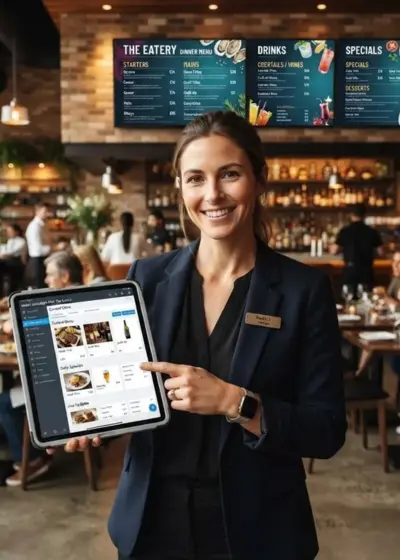
Restaurant Owners See Evergreen’s Digital Menu Software in Action
Join 4,500+ restaurants, bars, and breweries using Evergreen to modernize their menus.
Step 1: Audit Your Current Menu Prices
Before implementing dynamic menu pricing, you need a clear picture of your current state. Start by pulling your menu and sales data from the past 30 days. Look at each item’s food cost percentage and profit margin. Group items into categories like high-margin, low-margin, stars, and dogs. This is essentially menu engineering applied to your pricing goals.
List every price point across your menu. Note which items sell best during breakfast, lunch, dinner, and late night. This data becomes the foundation for dynamic menu pricing success. You also need to understand your manual menu management costs. If staff spend hours updating chalkboards, that time has real value. Dynamic menu pricing eliminates that waste by automating updates through digital menu software.
Identify Your Pricing Goals
Write down what you want dynamic menu pricing to achieve:
- Boost sales during slow periods
- Increase margins during peak hours
- Promote high-value items at the right time
- Reduce food waste on slow-moving items
Each goal shapes how you structure your menu pricing strategy moving forward.
Gather Sales Data by Time Period
Export your POS sales reports by hour and daypart. Look for patterns in your data:
- Which items sell most between 2 PM and 5 PM?
- Which items spike after 9 PM?
- Where do you see the biggest margin gaps?
This data tells you where time-based pricing can have the most impact. According to the National Restaurant Association, these patterns help operators maximize every service window.
Step 2: Set Your Daypart Pricing Tiers
Daypart pricing means charging different prices during different parts of the day. Most restaurants have four to six dayparts:
- Breakfast (6 AM to 10 AM)
- Lunch (11 AM to 2 PM)
- Afternoon lull (2 PM to 5 PM)
- Happy hour (4 PM to 6 PM)
- Dinner (5 PM to 9 PM)
- Late night (9 PM to close)
Not every daypart needs a price change. Focus on the ones with clear demand shifts. Your dynamic menu pricing plan starts with these tiers.

Assign Price Tiers to Each Daypart
For each daypart, decide whether prices go up, down, or stay flat. During slow afternoon hours, you might lower prices to draw guests in. During peak dinner hours, hold or raise prices on high-demand items. This is the core of time-based pricing. Your digital menu software handles the switching automatically once you set tiers.
Consider this sample daypart pricing structure:
- Happy hour: 20% off appetizers and select drinks
- Dinner: standard prices with premium items featured
- Late night: discounted items to drive traffic
Each tier should reflect real demand data, not guesses.
Factor in Demand-Based Triggers
Demand-based pricing goes beyond time of day. You can adjust prices based on:
- Weather patterns (hot days mean cold drink specials)
- Local events or game days
- Inventory levels (push items before they spoil)
- Seasonal demand shifts
As QSR Magazine has reported, demand-driven pricing helps restaurants respond in real time. Your menu pricing strategy should include both scheduled and on-demand price changes.
Build a Pricing Matrix
Create a simple document listing:
- Menu item
- Standard price
- Daypart price
- Demand-adjusted price
- Trigger for change
This matrix becomes your dynamic menu pricing blueprint. When scheduling in digital menu software, you will reference it constantly.
Step 3: Schedule Price Changes in Your Software
Now you translate your pricing matrix into automated schedules. This is where dynamic menu pricing comes to life. Log into your digital menu software and open the scheduling tools.
Set Up Daypart Schedules
Most platforms let you create time-based rules. For each daypart, follow these steps:
- Name the schedule (for example, “Happy Hour”)
- Set the start and end times
- Select which menu items or categories apply
- Enter the adjusted prices
- Choose which days of the week the rule runs
Your digital menu boards switch prices automatically at the set times. No staff intervention needed.
Restaurant Owners See Evergreen’s Digital Menu Software in Action
Join 4,500+ restaurants, bars, and breweries using Evergreen to modernize their menus.
Use Scheduling for Recurring Changes
Happy hour specials and late-night discounts run on fixed schedules. Set them once and let the software repeat them. This is where daypart pricing saves the most labor hours. Your dynamic menu pricing rules take effect immediately after setup.
Handle Demand-Based Changes Quickly
For on-demand changes, use the quick-update feature in your platform. If a rush depletes an item, mark it sold out instantly. If bad weather hits, push comfort food specials with a price drop. Real-time menu updates let you react within minutes, not hours. That speed is what makes dynamic menu pricing so powerful.
Integrate With Your POS
Connect your menu software to your POS for accurate billing. When prices change on screen, they should match at the register. POS integration prevents guest confusion and keeps your books accurate. According to Hospitality Technology, integrated pricing systems reduce errors and improve tracking. Your menu price optimization depends on this sync.
Test Before Going Live
Run a test cycle before launching. Check that:
- Prices switch at the right times
- All screens update correctly
- POS prices match board prices
- Staff know what to expect
A quick test catches problems before guests see them.

Step 4: Monitor Results and Refine
Dynamic menu pricing is not a set-it-and-forget-it tool. You need to track results and adjust based on data. Your dynamic menu pricing strategy improves with each cycle of testing.
Track Sales by Daypart
Compare sales before and after implementing dynamic menu pricing. Look at:
- Revenue per daypart
- Item-level sales volume changes
- Average check size shifts
- Guest feedback and complaints
Measure Margin Improvement
Check whether your overall food cost percentage improved. If margins tightened on discounted items, adjust the discount depth. If peak-hour prices boosted revenue without hurting volume, keep them. Revenue impact tracking gives you proof that dynamic menu pricing works.
Adjust Based on What Works
Double down on changes that drove results. Pull back on changes that did not. Small tweaks compound over weeks and months. A strong menu pricing strategy evolves with your business.
Scale Across Locations
If you run multiple units, roll out successful rules everywhere. Multi-location menu management lets you push updates to every screen at once. One operator running several locations used Evergreen to push daily specials. Drink sales climbed sharply within weeks. Updating prices in minutes freed staff to focus on service.
Listen to Guest Feedback
Watch for signs of price confusion. If guests mention prices changing, explain the value clearly. Transparency builds trust over time. According to the Toast blog, clear communication about pricing keeps guests loyal. Your digital menu boards make it easy to display value alongside prices.
Frequently Asked Questions About Dynamic Menu Pricing
| Question | Answer |
|---|---|
| What is dynamic menu pricing? | It means changing menu prices based on time, demand, or other triggers using digital menu software. |
| Do I need special software for daypart pricing? | Yes, digital menu software with scheduling features automates price changes across your boards at set times. |
| Will dynamic pricing confuse my customers? | Not if done transparently. Clear signage and consistent schedules help guests understand the value. |
| How often should I adjust my prices? | Review results monthly and adjust as needed. Start with a few dayparts before expanding. |
| Can I use dynamic menu pricing across multiple locations? |
Yes, most digital menu software supports multi-location pricing updates from a single dashboard. |
Start Optimizing Your Menu Prices Today
Dynamic menu pricing gives you control over revenue at every hour. Your digital menu software makes it simple to test, schedule, and refine. Start small with one or two dayparts. Measure results and expand from there. Evergreen provides the tools to manage every screen with ease. Ready to see it in action? Book a Demo or call (619) 512-2337.

About Casey Marte
Senior SEO & Digital Marketing Strategist, EvergreenHQ
Casey Marte is a Senior SEO & Digital Marketing Strategist at EvergreenHQ, with over 14 years of experience across content strategy, search optimization, and AI-driven marketing. She specializes in making complex digital concepts practical for the operators who need them most.
At EvergreenHQ, Casey brings a data-first mindset to everything from how your business ranks in search to how your brand shows up across platforms. Whether you are running a single taproom or a growing multi-unit restaurant group, she is focused on making sure your digital presence works as hard as your team does.