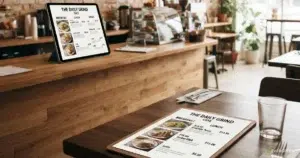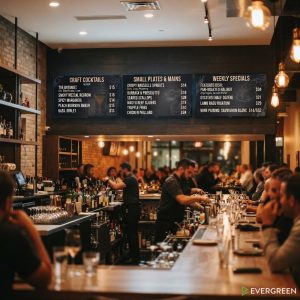
Wine menu design is one of the most overlooked revenue levers in the full-service restaurant and bar industry. A well-designed wine menu doesn’t just list your bottles — it guides guest decisions, highlights your highest-margin pours, and builds confidence in guests who might otherwise default to the house wine out of uncertainty. This guide covers what makes a captivating wine menu design work, how to structure your list for maximum revenue, and how Evergreen’s digital menu software makes updating your wine list effortless when vintages change or bottles sell out.
Table of Contents
ToggleWhy Wine Menu Design Matters for Revenue
Wine is one of the highest-margin categories on any restaurant menu. A bottle purchased at $15 wholesale and sold for $60 represents a 75% margin — far higher than most food items. But that margin only materializes if guests actually order beyond the house pour. A well-designed wine menu does the heavy lifting of guiding guests toward mid-tier and premium bottles by making them feel approachable, clearly described, and well-matched to the food.
Research from Wine Business Monthly shows that restaurants with organized, descriptive wine menus see 15–25% higher wine revenue than those with a simple list of names and prices.
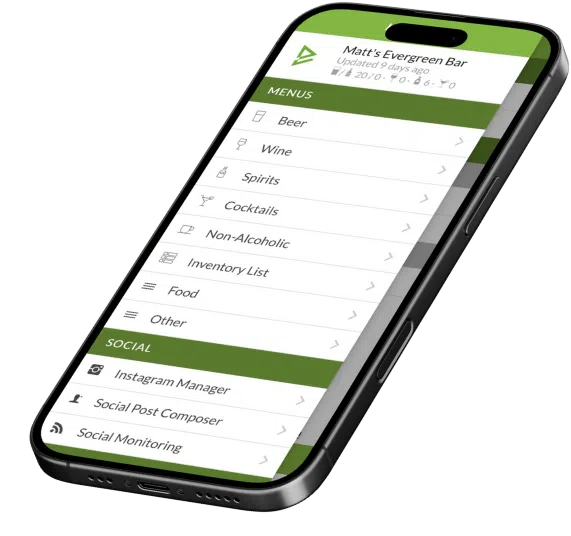
Update Your Wine List Instantly — No Reprinting Required
Change prices, add new bottles, remove sold-out vintages — from any device, in seconds.
The 6 Elements of a Captivating Wine Menu Design
1. Clear, Intuitive Structure
Organize your wine menu in a way guests can navigate without assistance. By style (Sparkling → White → Rosé → Red → Dessert) is the most universally intuitive. Within each section, order from lightest to boldest. Guests who feel lost default to “I’ll just have the house red” — a lost upsell opportunity.
2. Concise, Confident Tasting Notes
Every bottle deserves a 1–2 line description. “Bold, full-bodied Napa Cab with dark fruit and cedar finish” tells a guest exactly what they’re getting. Avoid wine-snob language (“austere minerality,” “barnyard notes”) — use accessible descriptors that map to familiar flavors.
3. Strategic Price Anchoring
Don’t lead with your cheapest bottle. Feature a mid-range option first in each category — this anchors guest perception of “normal” price upward. Research consistently shows that guests order the second-cheapest option most frequently, so price your most profitable bottles there.
4. Food Pairing Suggestions
A single pairing line — “Pairs well with our seafood risotto” — on your most profitable bottles creates natural cross-selling. It also builds guest confidence by removing the guesswork from wine selection.
5. By-the-Glass Prominence
By-the-glass options are your entry point. Feature them prominently — guests who enjoy a glass become bottle buyers. Use your digital menu boards to spotlight seasonal or featured by-the-glass pours that change weekly.
6. Visual Hierarchy That Directs Attention
Use size, weight, and placement to guide eyes to your highest-margin bottles. A “Featured” or “Sommelier’s Pick” callout box around a specific bottle reliably increases orders for that selection by 20–30%.
| Wine Menu Element | Revenue Impact | Implementation Difficulty |
|---|---|---|
| Tasting note descriptions | +15–25% wine revenue | Low — copy once, update rarely |
| Price anchoring strategy | +10–20% avg bottle price | Low — rearrange existing list |
| Food pairing callouts | +cross-sell to food items | Low — 1 line per bottle |
| Featured/Sommelier's Pick | +20–30% for featured bottle | Low — highlight 1–2 bottles |
| Digital wine board | Real-time updates, no reprint cost | Low with Evergreen |
4,500+ Bars and Restaurants Run Smarter Menus With Evergreen
Digital wine lists that update in real time — no more out-of-date bottles on your menu.
Frequently Asked Questions About Wine Menu Design
| Question | Answer |
|---|---|
| How should a wine menu be organized? | By style: Sparkling → White → Rosé → Red → Dessert. Within each, lightest to boldest. This is the most intuitive structure for guests. |
| How long should wine menu descriptions be? | 1–2 lines per bottle. Enough to describe the style and key flavor notes. Avoid overly technical language. |
| How many wines should be on a restaurant wine menu? | 20–40 bottles is the sweet spot for most full-service restaurants. Enough variety without overwhelming guests. |
| How do I update my wine menu when bottles sell out? | With Evergreen, you remove a sold-out bottle from the dashboard and every digital board and your website update instantly — no reprinting. |
| What makes a wine menu profitable? | Strategic price anchoring, mid-tier prominence, food pairings, and featured selections that guide guests toward higher-margin bottles. |
Design a Wine Menu That Sells
A captivating wine menu design — structured intuitively, described accessibly, and strategically priced — is one of the most impactful revenue tools available to any full-service restaurant. Pair it with Evergreen’s digital menu software to update your wine list in real time the moment a vintage changes or a bottle sells out. Start your free trial today.
About Evergreen
Evergreen is digital menu software built for bars, restaurants, and breweries. Since 2010, Evergreen has helped 4,500+ operators manage their wine lists, tap menus, and digital boards from a single platform — keeping every menu accurate and every guest experience consistent.